Frame Harbor — Sprite Sheet Repair
A downloadable tool
Slice PNG sheets. Align frames. Export clean PNGs.
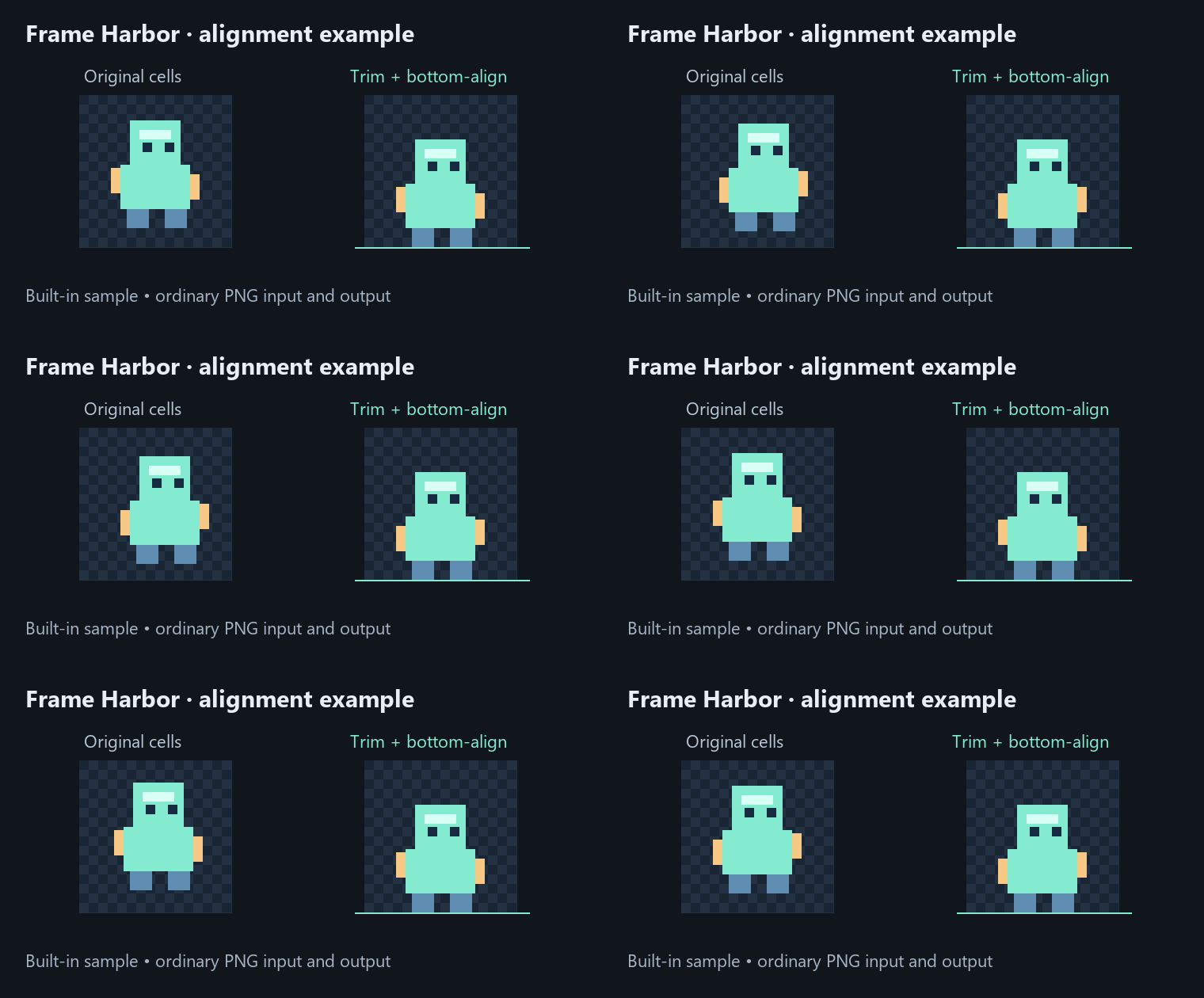
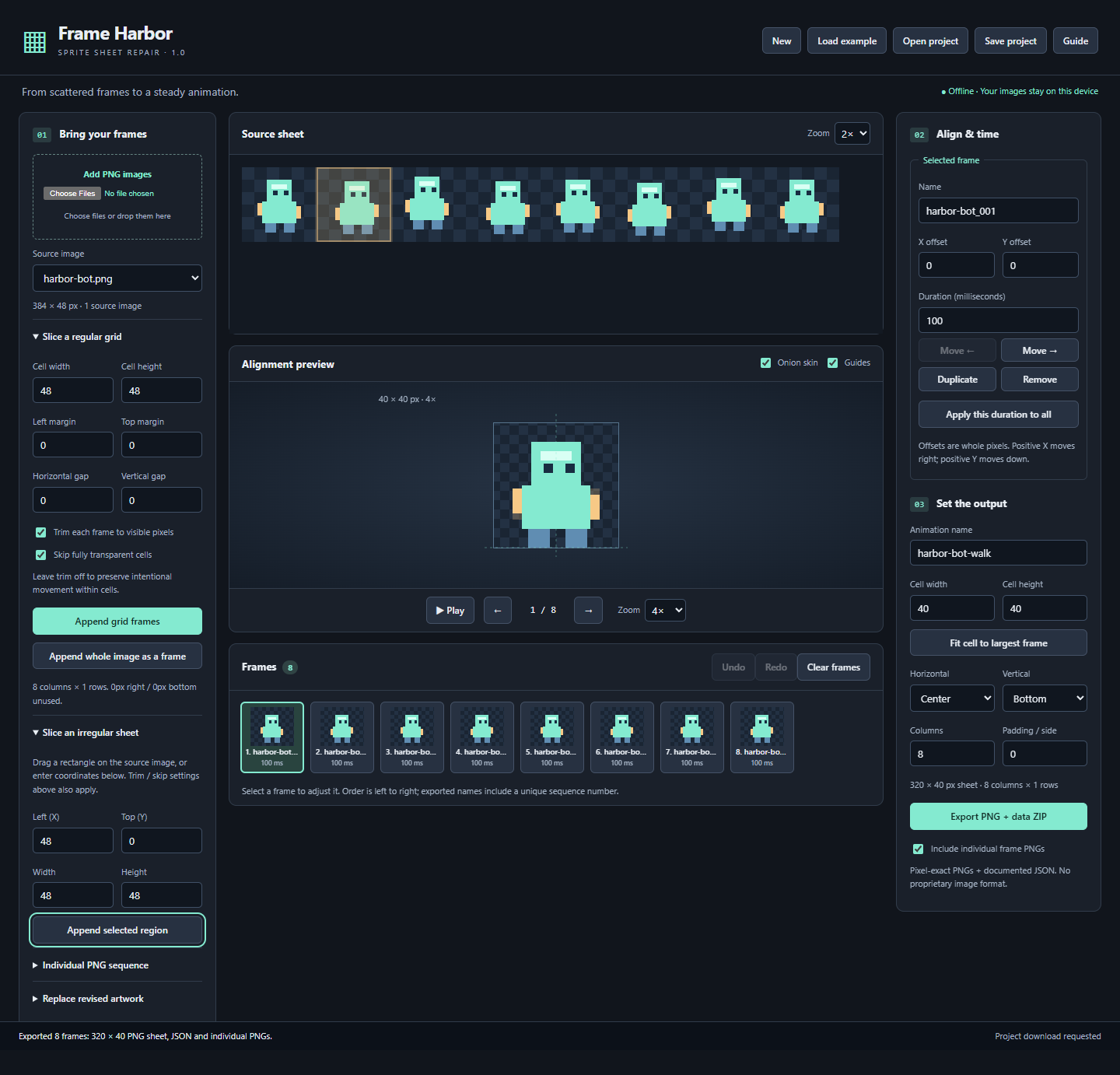
Frame Harbor turns existing PNG artwork into consistently sized animation frames. Slice a grid or select irregular regions, adjust alignment with onion skin, check timing, and export a transparent sheet plus individual frames.
Extract the download and open the included HTML file in Microsoft Edge. No installer, account, subscription or internet connection is required to use the application.
$9 USD once · Single-user license · Unlimited personal and commercial projects.
Verified on Microsoft Edge 153 for Windows desktop. Other browsers and operating systems are unverified. Try the demo on your device before purchasing.
Try the free example demo
Download the free example demo below, extract the ZIP and open index.html. Click Load example, then Play. Try alignment, timing, project saving and export with the included artwork. Importing your own PNGs, opening projects and replacing source artwork require the full version.
What it does
- Grid slicing with margins and gaps, plus drag-selected regions for irregular sheets.
- Separate PNG sequences in natural filename order.
- Optional transparency trimming and empty-cell skipping.
- Whole-pixel offsets, shared alignment, onion skin and playback.
- Per-frame timing, reorder, duplicate, remove and undo/redo.
- Replace revised source art without losing regions, offsets or timing.
- Save portable projects containing your source PNGs and frame settings.
- Export a ZIP with a PNG sheet, optional individual PNGs, and documented JSON coordinates and timing.
Export blocks when frames would be clipped. Eight 44-pixel cells at zero padding produce a 352-pixel-wide sheet.
Included with your purchase
Offline application, user guide, original sample PNG, saved project, sample export, license and changelog. One user, unlimited personal and commercial projects. No output watermark or royalties; your original artwork’s license still applies.
Compatibility and scope
Static PNG only. Up to 512 frames and 64 sources, 16 megapixels per image/output, 32 megapixels across sources, and 8192 pixels per side. Browser canvas normalizes colors; high bit depth and original color profiles are not preserved.
No GIF/video import, automatic sprite detection, atlas packing, multiple named clips per project or engine-specific importer. JSON uses a documented Frame Harbor format. Save manually; there is no automatic recovery.
FAQ
Does my art leave my device? No. The application works locally, makes no network requests and never overwrites your source files.
Does it automatically fix every animation? No. You control shared alignment and offsets. Trimming can remove intentional motion, so preserve original cells when appropriate.
Is this a subscription? No. $9 USD once for the supplied version. No activation or usage counter. Future updates and custom development are not promised.
Can I use it commercially? Yes, with one license per user and appropriate rights to your source art.
Support? Use the discussion area with your browser/version, steps and a small sample you have permission to share. Do not post private artwork.
Was AI involved? Generative AI assisted code, documentation and programmatically drawn sample graphics. No AI service runs inside the product.
Purchase
In order to download this tool you must purchase it at or above the minimum price of $9 USD. You will get access to the following files:
Download demo